Running an event
Day-of operations from the event hub under the tournament.
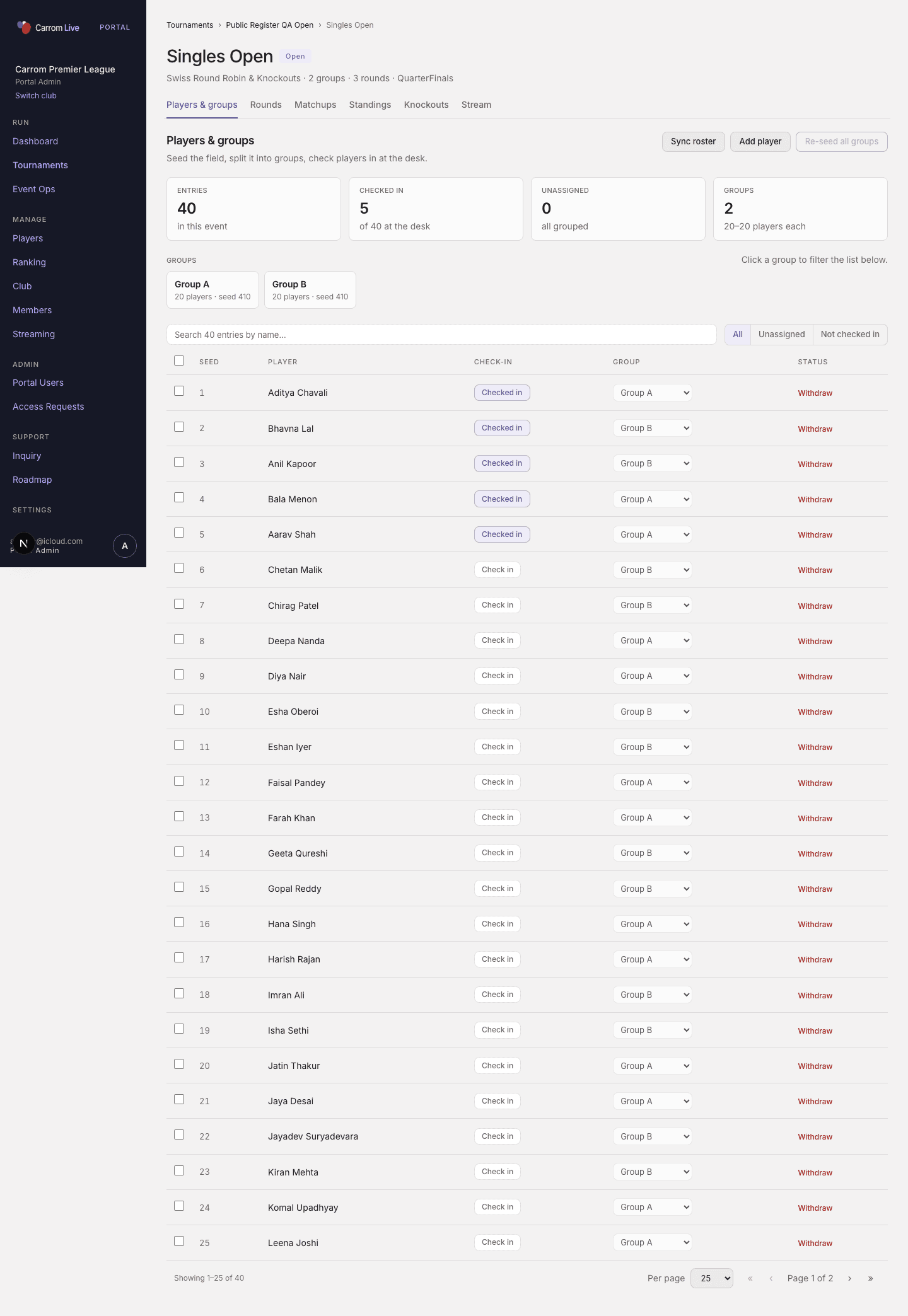
Singles — Players & groups (seeds, check-in, group cards)
Hub guide strings
| Event type | Suggested order |
|---|---|
| Singles / Doubles | Sync players → set ranks → generate groups → matchups → board scores → standings → knockouts |
| Teams | Create teams + rosters → rounds → lineups → matchups → standings → generate knockouts from Rounds → score KO in Matchups |
| Double elim | Seed field → generate Winners / Eliminations bracket → score through grand final |
Players & groups (Singles / Doubles)
- Sync or add players; set seeds (ranks)
- Generate groups from seed order
- Seeds stay editable after groups exist; lock fully only after rounds / matchups exist
- Group filter: click group cards (click again to clear) — no separate “All groups” chip in the filter row
Rounds & Matchups
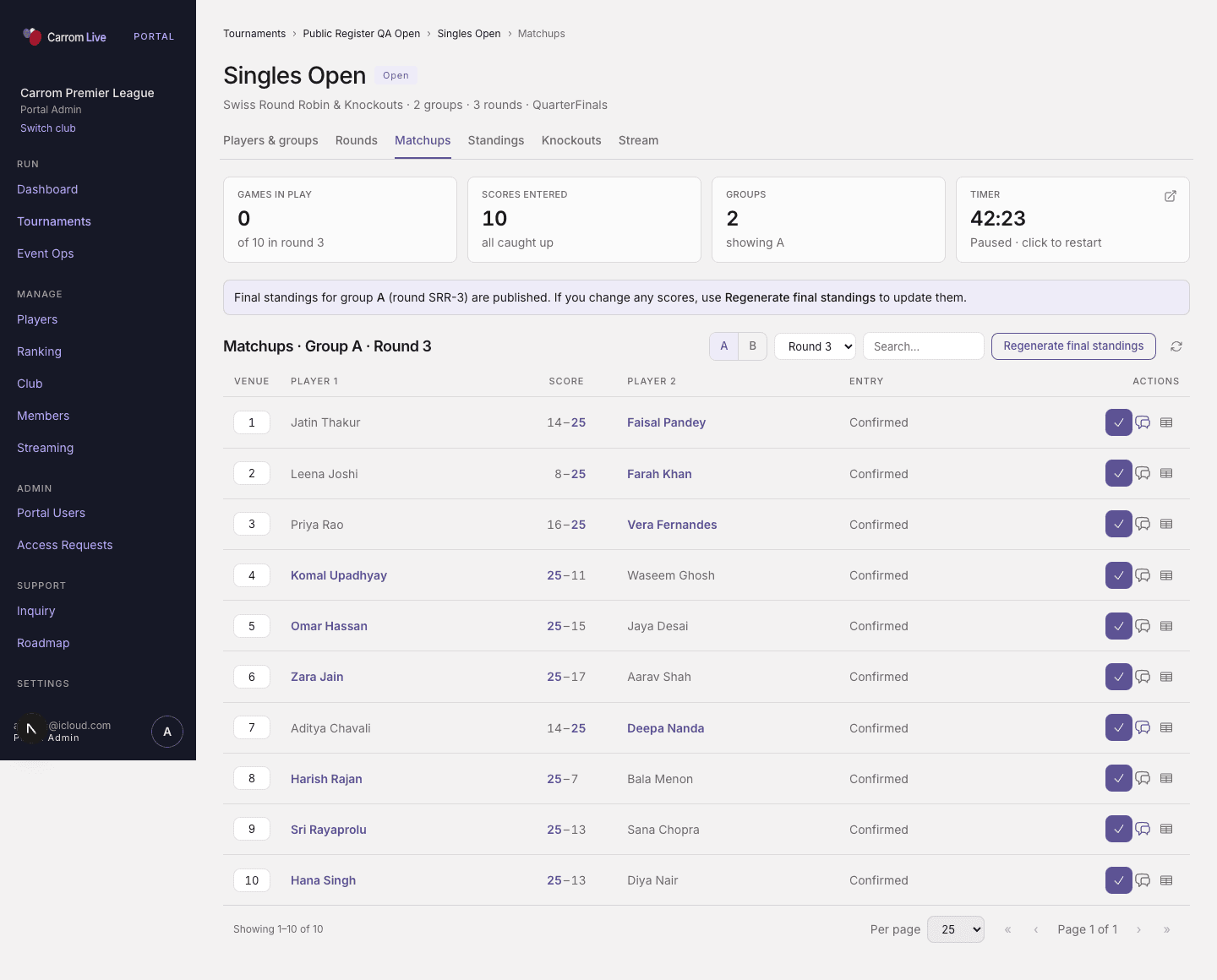
Matchups — venues, scores, winners in brand weight; losers muted
- Generate the next round when the current round is complete
- Assign venues before sending score links so Home shows the right venue
- Teams: wait for captain lineups when status is drawn, then generate matchups (matchups_out)
- Teams knockouts: generate from Rounds; score KO ties on Matchups
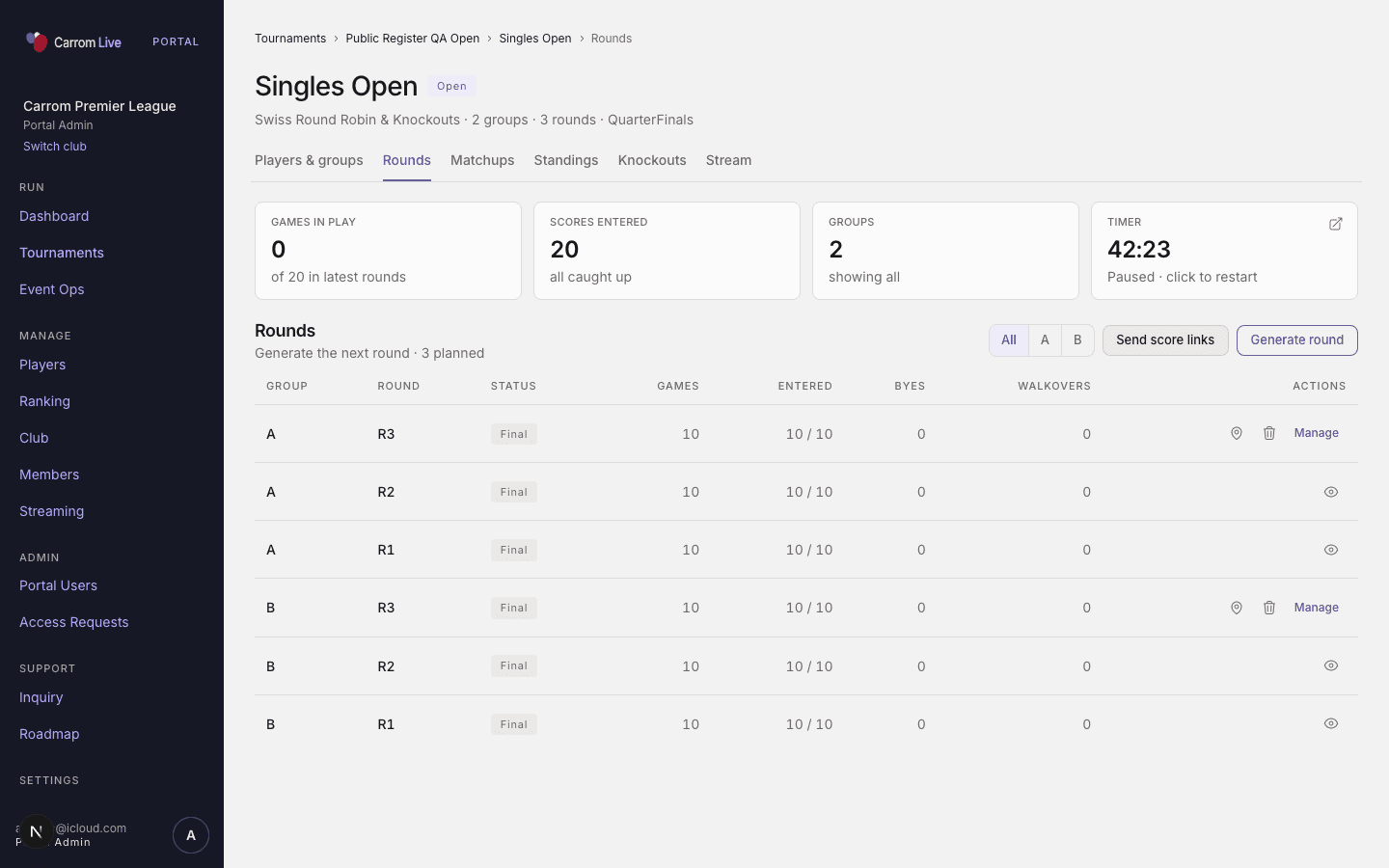
Rounds — generate next Swiss round
Standings & Knockouts
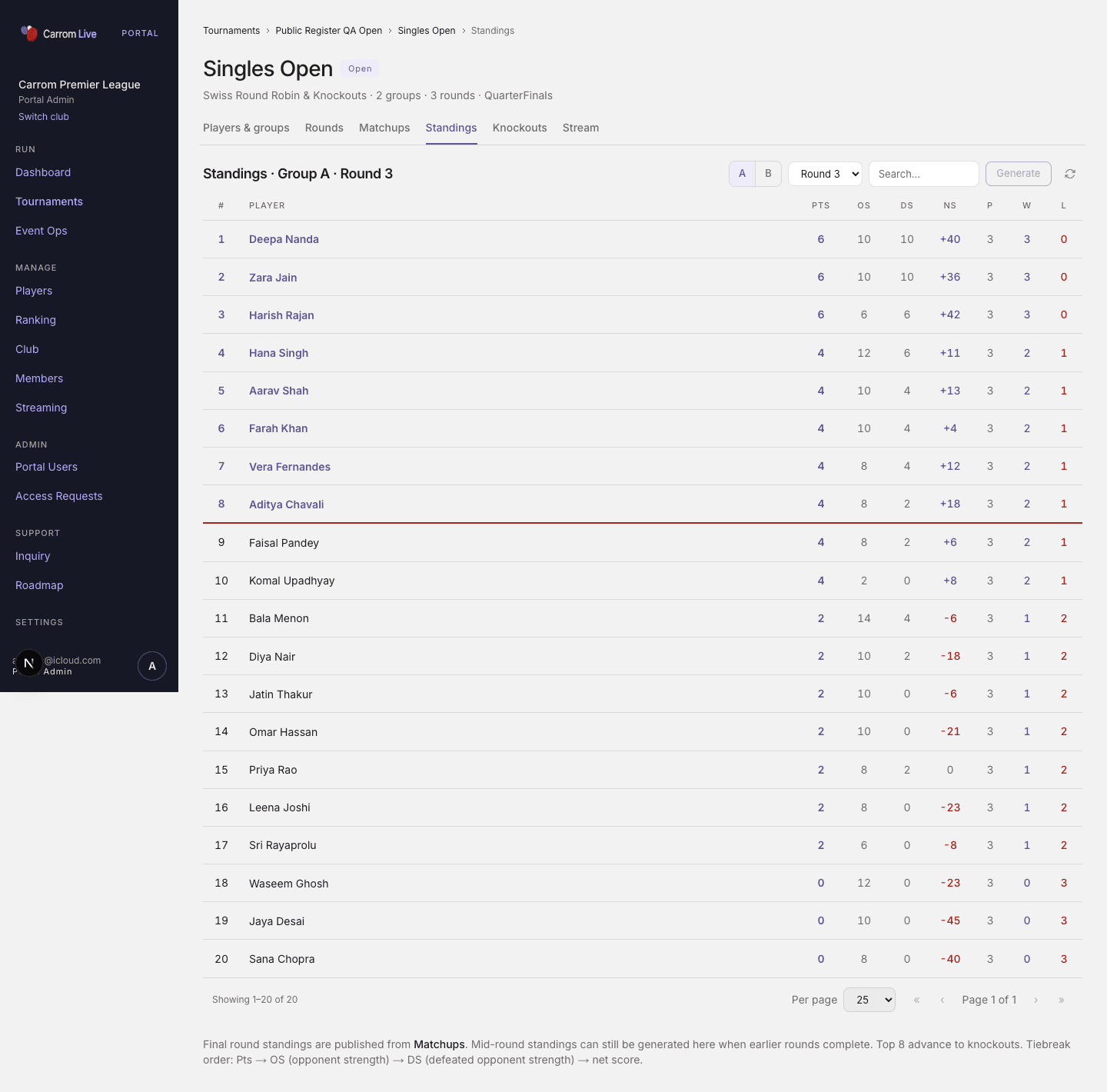
Standings — group A/B, cut line for KO advance
- Standings update from completed games
- Generate the KO draw from final group standings when ready
- Double elim uses Winners and Eliminations language
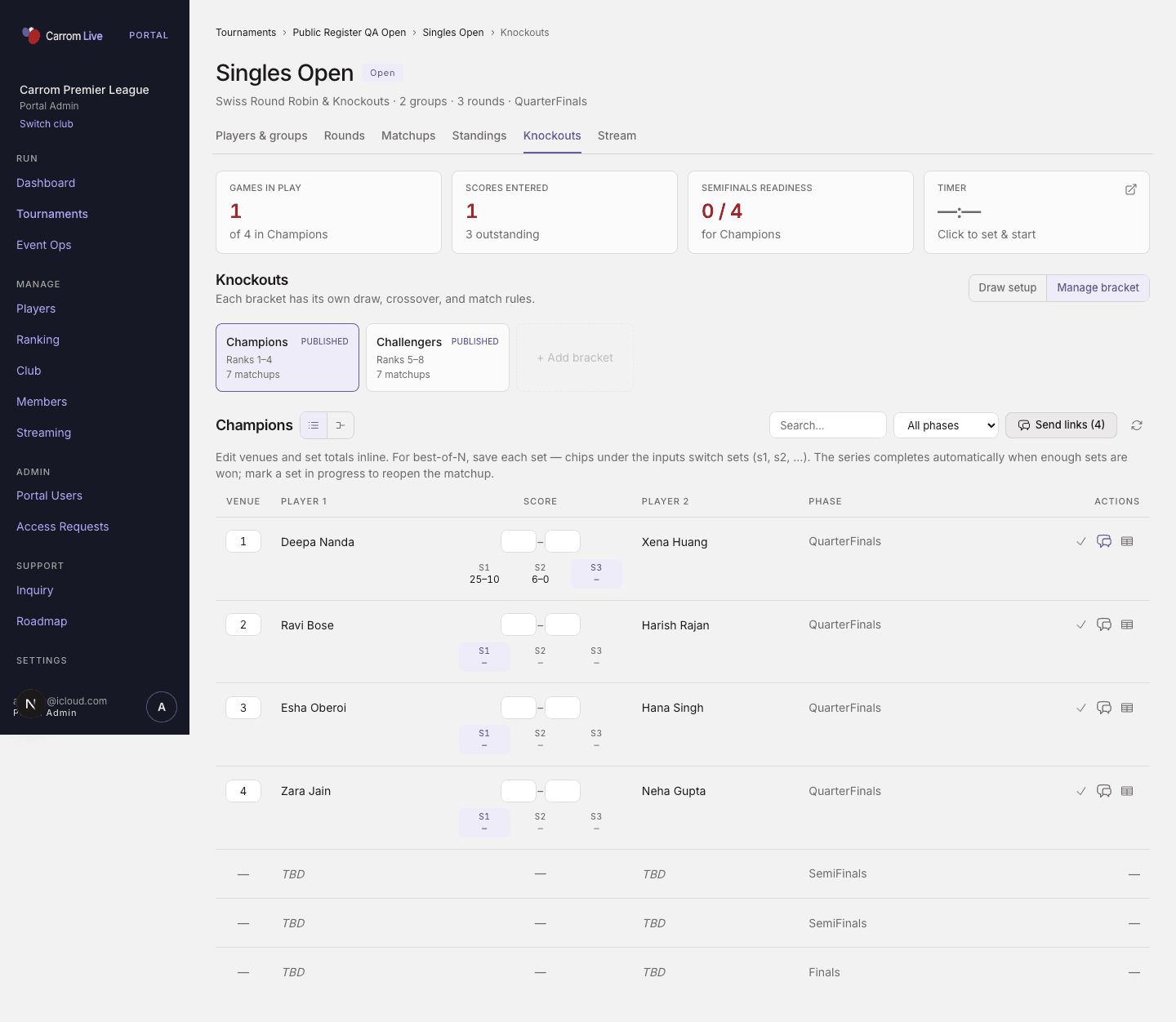
Knockouts bracket
Stream tab
Per-event cameras, overlay links, create live video, go live. See Streaming.
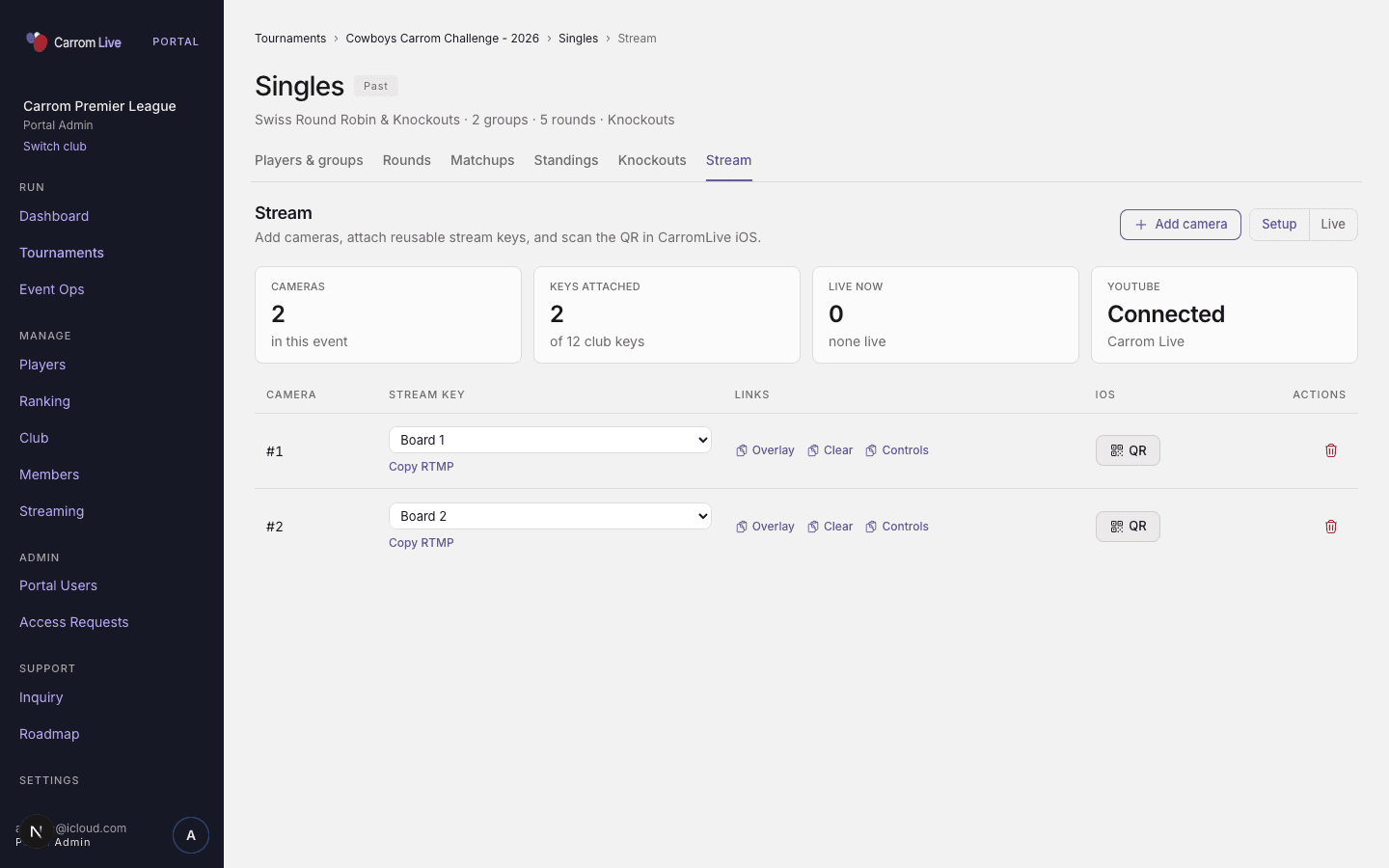
Event → Stream
Day-of checklist
- Confirm roster / check-in and groups
- Assign venues for the round
- Send or resend score links
- For Teams: confirm captains finished lineups
- Enter or verify scores; watch standings
- When group play ends, generate knockouts
- If streaming: attach keys, open overlays, create live, go live
Related
Last updated on